
Scripting in Studio
This page is about the tool. The language itself is taught in the vscript guide.
Make a script
Section titled “Make a script”Assets▸Create… CtrlN › Script. Studio asks what the script starts from, a plain component or an animation driver, then makes the file and opens it.
The editor
Section titled “The editor”A script opens as a tab. As you type, Studio checks it with the game’s own compiler:
- Mistakes are underlined, and the Console’s Problems view lists them.
- Completion suggests natives, fields and functions as you type.
- Go to definition jumps from a name to where it’s declared, including into the game’s own scripts.
- The Outliner lists the script’s fields and functions, so you can jump around a long one.
CtrlS saves the script and compiles it. The game only ever runs the compiled result, and Studio keeps the two in step: you never handle the compiled file yourself.
Every compiler message has a code and an explanation in Compiler messages.
The game’s own scripts
Section titled “The game’s own scripts”Open any shipped script and Studio shows it as vscript, read back from what the game ships:
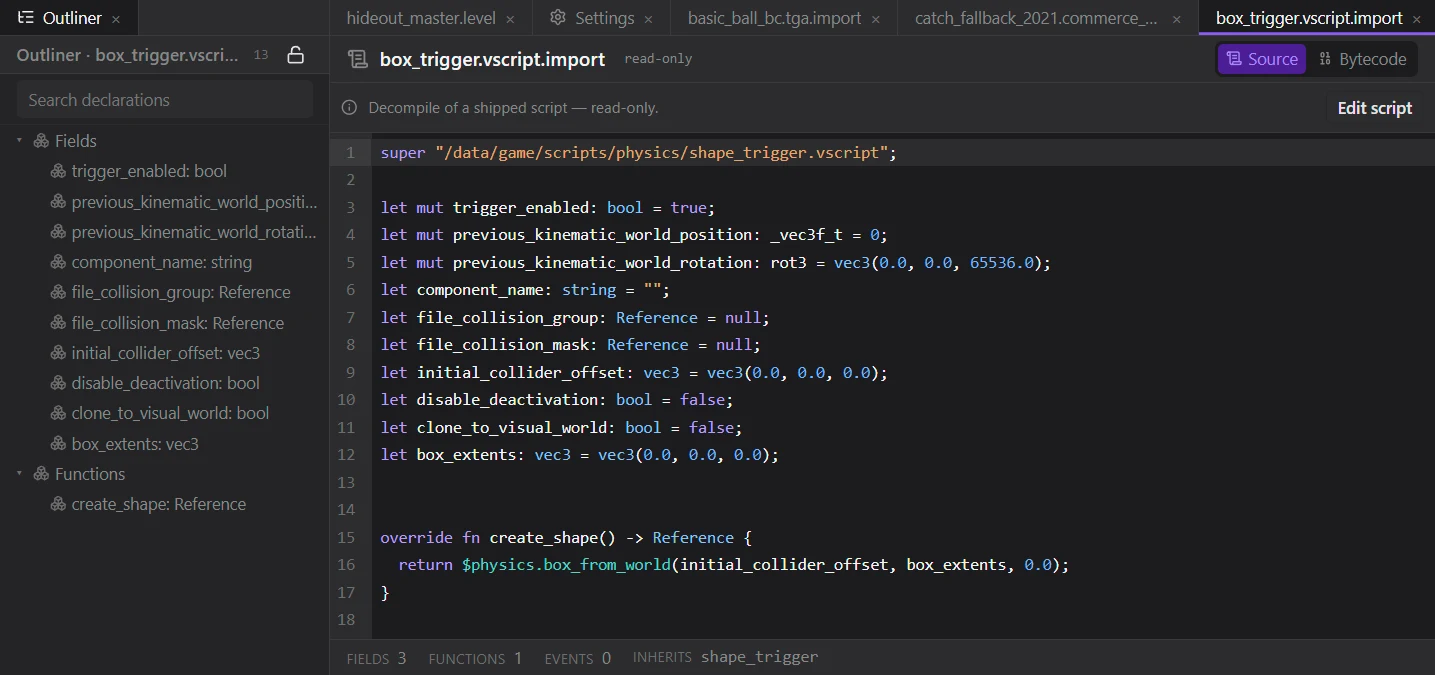
- The script's fields and functions.
- Read back from the game, so it's read-only here.
- Edit script: make your own copy to change.
Reading them is the best way to learn how the game does things: the trigger shapes, the jump pads, the ball spawners are all scripts you can read.
Edit script makes the script your own: an override that every component using it
runs instead. To change one component only, write a new script that builds on the shipped one with super instead;
see Inheritance.
Put a script on an entity
Section titled “Put a script on an entity”A script does nothing until it’s a component on an entity:
- Select the entity in a level.
- Add component at the bottom of the Inspector, type your script’s name, press Enter.
- Its constant fields (plain
let) appear in the Inspector, ready to set per entity.
Reading what it says in the game
Section titled “Reading what it says in the game”While the game runs, every line a script prints arrives in the Console, with the script and line it came from. Click the line to open the script there. See Testing and the vscript debugging page.
Where to go next
Section titled “Where to go next”- The store schedule.
- Tutorial: Build a teleport pad.