
Testing
Run: install, then play
Section titled “Run: install, then play”The quickest way to see your change is Run, in the Package window’s header (and under Game in the menu bar as Run Game). Run does two things in one go:
- Installs your mod into both the game and the server, so both have the same files.
- Starts your own server, waits until it’s ready, then starts the game connected to it.
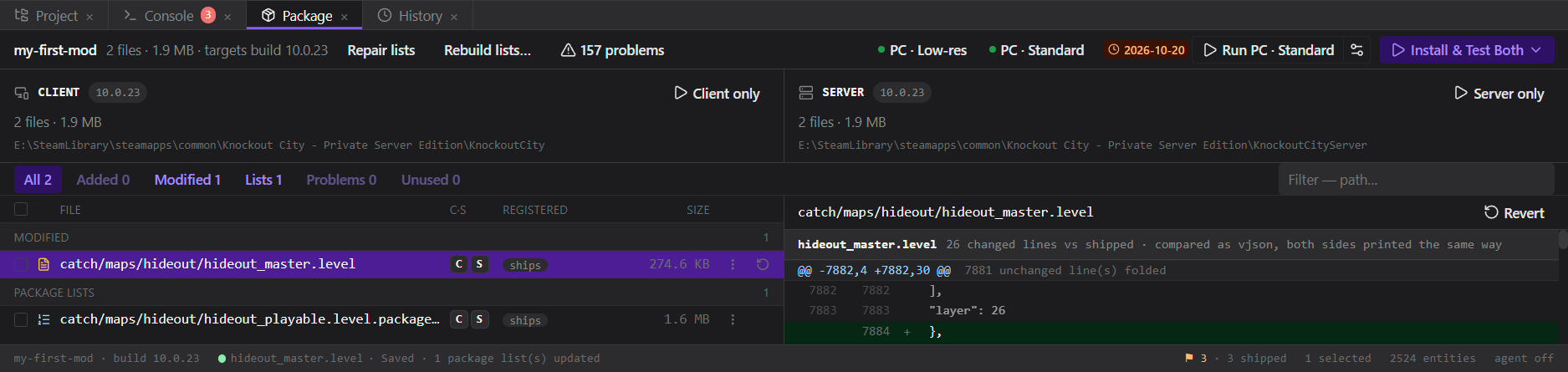
- The targets your mod is built for.
- Run: install, start the server, start the game.
- Install & Test: install only, without starting anything.
- Every file in your mod, and what each one does to the game.
Pressing Run again while the game is up stops it, the server and everything it started included. Closing Studio stops it too.
Install & Test without running
Section titled “Install & Test without running”Game▸Install & Test▸Both Installs copies your mod into the game and the server and stops there, for when you’d rather start the game yourself. It also has Client Only and Server Only; stick with Both unless you know why not, because a game and server with different files disagree in ways that are very hard to trace.
Installing only ever writes files Studio itself put there, so it never overwrites another mod’s file. To empty both installs completely, use Game▸Clean Install…. It asks first, because it removes every mod, not just yours.
Run settings
Section titled “Run settings”The settings button beside Run opens Settings › Run, which holds everything about how the game starts:
| Group | Setting | For |
|---|---|---|
| Target | Run Target | Which game Run starts: PC · Standard or PC · Low-res. |
| Launch | Deploy Before Run | On by default. Turn it off to start the game exactly as installed. |
| Start at UTC | Fakes the server’s date and time, so you can test an event or a store day without waiting for it. | |
| Logging | Enable Verbose Logging | Makes the game write the messages it normally hides. |
| Console Output | Problems and Scripts (the default) or Everything. | |
| Connection | Backend Port, Username, Secret | How the game reaches your server, and who it signs in as. |
| Command Lines | Client Arguments, Server Arguments | Extra engine options for either half. |
While Start at UTC is set, the Run button shows that date, so you don’t forget the clock isn’t real. Clear it to go back to today.
Reading what the game says
Section titled “Reading what the game says”While the game runs, everything it logs arrives in the Console, beside Studio’s own messages: warnings, errors and every line a script prints. A line that came from a script names the script and line, and clicking it opens the script right there, if it’s one of yours.
The Console’s other view, Problems, lists what Studio found wrong with your mod itself, split into your changes and already in shipped content. Only the first is yours to fix:
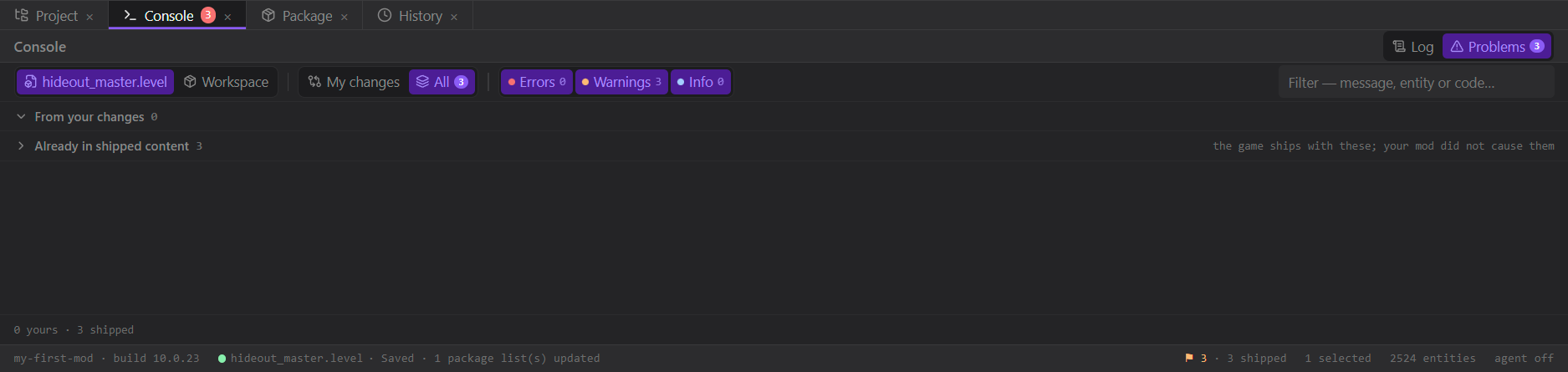
- Problems your changes caused: fix these.
- Problems the game ships with: not yours, and safe to ignore.
A testing loop that works
Section titled “A testing loop that works”- Change something and save.
- Press Run. Leave the game running while you look.
- Something wrong? Check the Console for errors and script lines.
- Press Run again to stop, fix it, and go back to step 1.
Where to go next
Section titled “Where to go next”- When things go wrong: undo, history, and repairing a workspace.
- Shipping your mod: getting it to players.